Let’s be honest for a second. If you design websites or mobile apps for a living, your biggest enemy isn’t a lack of ideas—it’s time. Clients expect high-quality mockups by tomorrow morning, and you are stuck spending four hours just fixing auto-layouts or picking a font pair. That is exactly why everyone is talking about using a web designing ai tool these days.
But there is a lot of hype out there. Some people think a ui ux ai generator will completely replace human designers. It won’t. If you use them right, the best AI tools for web designers simply act like a super-fast assistant. They clear out the boring grunt work so you can actually focus on making things look beautiful and user-friendly. Grow your brand online with the best digital marketing services in Jaipur, tailored to boost your traffic, leads, and sales.
Here is a realistic look at how these tools actually fit into a real designer’s daily workflow today.
Smart Web Designing AI Tool for Layouts and Brainstorming
We all know the absolute dread of staring at a completely blank Figma canvas. When your brain feels empty, these tools help you get a rough draft ready in seconds:
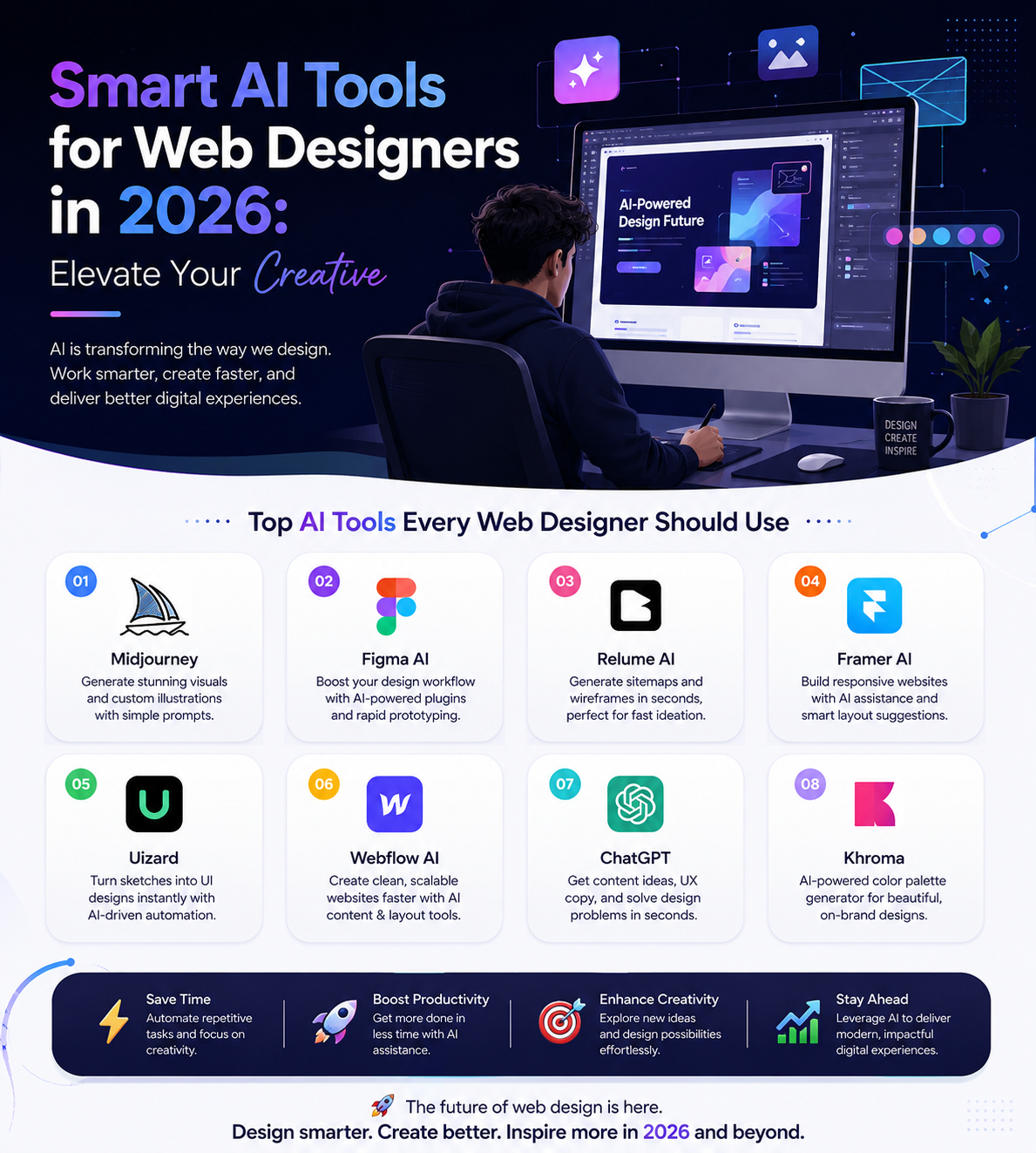
Figma AI
Figma is already where most of us live. Their new text-to-UI feature is pretty handy. Instead of building a login page or a profile screen element by element, you can just type what you need. It creates fully editable layers and clean typography. It’s not perfect, but it gives you a great starting point to mess around with.
Think of Flowstep as a quick sketchpad. You can literally tell it, “Give me a clean, dark-mode dashboard for a fitness tracking app,” and it throws together a complete interface on your screen. The coolest part? You can just copy ($Ctrl + C$) the whole layout and paste ($Ctrl + V$) it straight into your actual Figma project to tweak it.
Moonchild AI
Most AI tools just spit out random, generic templates that look identical. Moonchild is a bit different because it actually understands user experience principles. You can chat with it like a human co-worker. If you tell it to make a hero section look more premium or ask for colors that pass accessibility checks, it makes smart, logical adjustments instead of random changes.
Going from a Quick Prompt to Live Code
Sometimes you don’t just want a design—you need a working webpage up and running quickly. If you want to skip the endless back-and-forth coding process, a few platforms stand out:
- Playcode: This is a fantastic ai webdesign generator if you hate being locked into a specific platform. It uses advanced models to generate highly scalable websites, and you can export the raw, clean code whenever you want.
- Framer AI: If you love smooth animations, clean web grids, and gorgeous landing pages, Framer is incredible. It’s perfect for setting up a quick portfolio or a promo page without touching code.
- Uizard: This one feels like magic. If you are someone who prefers drawing ideas on a real notepad, you can take a photo of your hand-drawn sketch. That is exactly why everyone is talking about using a web designing ai tool these days. and Uizard instantly turns it into a clean, digital mockup.
- Webflow AI: For agencies and pro designers who still want absolute control over their CSS structural rules, Webflow’s AI features help build responsive grids way faster than doing it manually.
How to Actually Use AI Without Losing Your Edge
The trick to using any ai webdesign generator is knowing when to shut it off.
Don’t let the machine think for you. Use it to generate three completely different directions in five minutes when you are brainstorming with a client. It helps get everyone on the same page instantly. Let it handle the mind-numbing tasks like resizing images, fixing alignment, or generating dummy text.
Save your real brainpower for what machines completely fail at: understanding human emotions, cultural context, and solving complex user journeys. That is exactly why everyone is talking about using a web designing ai tool these days.
The Bottom Line: At the end of the day, a web designing ai tool is just a really fast hammer. It can put up the walls of your website in seconds, but the actual blueprint, the style, and the soul of the project still have to come from you.